
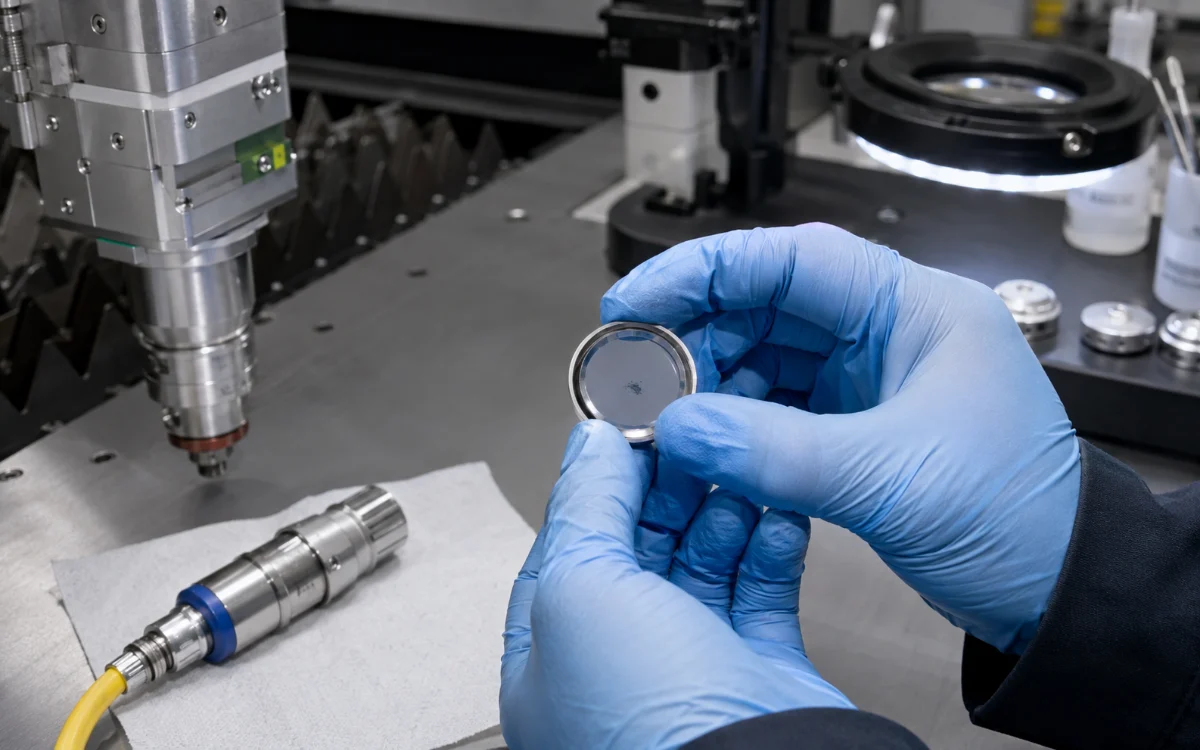
Core takeaway: A contaminated fiber laser output window does more than reduce optical transmission. At high CW power, dust, oil, residue, or metal particles can absorb laser energy locally, turning a cleanable contamination problem into permanent coating or substrate damage.
Before diagnosing fiber laser source power degradation, first determine where the loss occurs: inside the source, at the QBH/output interface, in the cutting-head protective optics, or in the process itself.
A practical troubleshooting sequence is:
Identify the optic → determine contamination or damage → isolate source power from downstream loss → find the contamination source → clean, replace, or escalate → verify that the problem does not return.
What Does “Fiber Laser Output Window” Actually Mean?
The term “output window” is often used for several different optical components. Before cleaning or replacing anything, identify exactly which component is contaminated and whether it belongs to the laser source or the processing head.
| Location | Common name | Main function | Typical contamination source | Typical service level |
|---|---|---|---|---|
| Fiber source output | Quartz block / endcap / QBH endcap | Reduces optical intensity at the fiber termination | Connector exposure, incorrect handling | Manufacturer or trained service |
| Source-side output protection | QBH/output protective window | Protects the output optical interface | Dust during connection or maintenance | Model-dependent |
| Processing-head upper section | Upper / collimator protective window | Protects collimating optics | Dust, poor sealing, contaminated pressure air | Trained maintenance |
| Processing-head lower section | Lower protective window / cover glass | Protects focusing optics from the process | Spatter, vapor, smoke, piercing debris | Routine consumable on many heads |
| Inside processing head | Focusing lens | Forms the final process beam | Secondary contamination after protective-window failure | Service or replacement |
The distinction matters because a dirty lower cover glass is usually a very different maintenance event from contamination or damage at the source-side QBH termination.
The Raycus RFL-C30000XZ user guide, for example, describes a protective end cap containing a protective window for the output optical cable and requires both the output optics and processing-head cavity to remain clean during connection.
What Is the Difference Between the QBH Endcap and a Protective Window?
The fiber endcap is part of the high-power optical termination, while a protective window acts as a sacrificial barrier for more valuable optical components. They are related parts of the optical chain but should not be treated as interchangeable.
Why Does a High-Power Fiber Laser Use an Endcap?
A high-power fiber endcap expands the beam before the final optical surface, reducing optical intensity at the actual fiber termination. This helps increase the amount of power the output interface can handle reliably.
An open-access review of functional fiber components for high-power lasers explains that quartz block heads or fiber endcaps enlarge the beam at the output surface to reduce power density. Modern high-power endcap designs may also incorporate anti-reflection coatings, cladding-mode stripping, cooling, protective windows, and safety interlocks.
This is one reason source-side output components deserve more caution than ordinary consumable cover glass.
Is the Protective Window Part of the Source or the Cutting Head?
It can be either, depending on which protective optic is being discussed. Maintenance documentation should therefore say “QBH protective window,” “upper head window,” or “lower cover glass” rather than simply “protective lens.”
The location immediately changes the likely contamination source and who should service it.
What Are the Symptoms of a Contaminated Fiber Laser Output Window?
Typical symptoms include apparent power loss, slower piercing, deteriorating cut quality, unstable welding penetration, abnormal heating, and optical alarms. The severity depends on both contamination level and the location of the affected optic.
Possible warning signs include:
- Previously stable piercing becomes slower or inconsistent
- Thin material still cuts but thick plate becomes difficult
- Cutting speed must be reduced to maintain quality
- Burr or dross increases without an obvious parameter change
- Kerf quality becomes inconsistent
- Welding penetration changes between otherwise identical parts
- Protective-window temperature rises unusually
- A dark or discolored spot develops on an optical surface
- Optical or scattered-light alarms begin appearing
Mazak identifies loss of cut, reduced cutting speed, and deteriorating cut quality as signs that a cutting-head protective window may need maintenance. Its fiber window spotting guidance also emphasizes that these protective windows act as sacrificial barriers between cutting debris and more expensive focusing optics.
Can a Dirty Window Make a Fiber Laser Feel Underpowered?
Yes. A contaminated optic can absorb, scatter, or distort part of the beam after it leaves the source, reducing the optical energy effectively delivered to the workpiece.
This creates a common troubleshooting mistake:
Poor processing performance ≠ proven source power loss.
The source may still be generating its expected output while the beam is being degraded farther downstream.
Why Can the Machine Still Cut Thin Sheet but Fail on Thick Plate?
A moderate transmission or beam-quality loss may leave enough process margin for thin material while removing the reserve needed for thicker plate. Piercing thick material is often one of the first operations to reveal a reduced optical margin.
This symptom can resemble gradual pump-diode or source degradation, which is why optical inspection should precede expensive source-level repair decisions.
Can Window Contamination Cause Beam Distortion?
Yes. Contamination can create nonuniform absorption and temperature gradients across an optic, so the problem is not limited to total transmitted watts.
Localized heating can change how the beam passes through the optical surface and can eventually lead to permanent coating or substrate damage.
Why Can a Tiny Contaminant Damage a High-Power Laser Window?
A microscopic contaminant can absorb substantially more optical energy than the clean optic surrounding it. At multi-kilowatt CW power, this small absorbing area can become a concentrated thermal hot spot.
Does Dust Simply Block Laser Power?
No. Geometric blocking is usually not the main high-power concern. The more dangerous mechanism is absorption of optical power by the contaminant and conversion of that power into heat.
The 2019 Scientific Reports study “Physical Origin of Early Failure for Contaminated Optics” tested optical coatings contaminated with carbon and stainless-steel particles using a 17 kW continuous-wave ytterbium fiber laser at 1070 nm. The contaminated samples experienced damage at intensities dramatically below those expected for clean optics.
The researchers linked the failure mechanism to particle absorption, localized heating, and thermally driven absorption processes in the optical coating and substrate.
Why Does a Small Burn Spot Keep Getting Worse?
Once the surface coating or substrate has been damaged, the affected region can absorb more optical energy than the original clean surface. This creates a feedback loop in which damage produces additional heating and additional heating produces further damage.
The progression can be simplified as:
Particle or residue → local absorption → hot spot → coating/substrate damage → increased absorption → burn, pit, or crack.
This is why contamination should be addressed before it becomes visible laser-induced damage.
Does Higher Laser Power Make Contamination More Dangerous?
Yes. Higher incident optical power means that the same absorbing defect can convert more absolute laser energy into local heat.
A small contaminant that appears harmless during inspection or low-power operation may become destructive once the system operates continuously at several kilowatts.
Contamination can be reversible. Laser-induced optical damage usually is not. The maintenance goal is to find the first before it becomes the second.
What Types of Contamination Can Damage the Output Window?
Optical contamination is not limited to visible workshop dust. Oils, fingerprints, condensed films, solvent residue, process smoke, metallic particles, moisture, and contaminated air can all increase unwanted optical absorption.
| Contaminant | Typical source | Main risk |
|---|---|---|
| Dust | Open connector, maintenance environment | Scattering and localized absorption |
| Fingerprint oil | Direct handling | Absorbing surface film |
| Cleaning residue | Incorrect solvent or drying method | Thin absorbing film |
| Moisture / condensation | Humidity or cold optical surfaces | Film formation, residue and optical instability |
| Metal particles | Processing or assembly debris | Strong localized absorption |
| Smoke / vapor | Cutting and welding | Deposited film |
| Spatter | Piercing and welding | Impact damage and local absorption |
| Oil or water in compressed air | Insufficient filtration/drying | Repeat contamination |
| Dirty protective cap | Poor storage or handling | Recontamination of clean fiber interface |
Can Fingerprints or Cleaning Residue Really Damage the Optic?
Yes. A visually thin oil or solvent film can still absorb energy under high optical intensity. High-power laser windows should therefore be handled as precision optical surfaces rather than ordinary pieces of glass.
Do not touch optical surfaces directly, blow on them by mouth, wipe them with ordinary tissue, or assume that any compressed-air source is clean enough for optical use.
The exact cleaning material and solvent should come from the manufacturer procedure for that specific optic.
Where Does Output-Window Contamination Come From?
Contamination can enter during normal processing, fiber connection, protective-window replacement, cutting-head servicing, air supply, or environmental exposure. Finding the contamination path is more important than simply installing another new window.
Can Cutting Spatter Reach the Protective Window?
Yes. The lower protective window in a cutting head is specifically positioned to intercept process contamination before it reaches the focusing lens.
Mazak recommends routinely inspecting this window for spatter and dust because poor maintenance can allow contamination to progress into the focus optics, where repair becomes more expensive.
Can Contamination Enter While Connecting the QBH?
Yes. Disconnecting a fiber output exposes one of the most cleanliness-sensitive areas of the entire machine.
The RECI single-module CW fiber laser guide requires the QBH quartz end and protective window to remain clean, calls for microscope inspection when contamination is suspected, and emphasizes protecting the output interface from contamination during installation.
Can a Dirty Dust Cap Contaminate a Clean QBH?
Yes. A dust cap only protects the optical interface if the cap itself remains clean.
Putting a contaminated cap back onto a clean connector can transfer particles directly to the component the cap was meant to protect. Caps should therefore be stored and handled as part of the optical cleanliness system.
Can Dirty Compressed Air Cause Repeated Window Contamination?
Yes. Air used for optical protection or positive pressure must itself be clean, dry, and oil-free according to the machine or cutting-head specification.
Mazak warns that poor air quality can contaminate laser optics and specifically identifies filtration as necessary for maintaining optical cleanliness. If a new upper protective window repeatedly develops oily or dusty deposits, the air supply and sealing system should be investigated.
Why Does a New Protective Window Keep Getting Dirty?
Rapid repeat contamination usually means the contamination source has not been corrected. Replacing the window resets the symptom but does not repair dirty pressure air, leaking seals, poor maintenance practice, excessive spatter, or neighboring optical damage.
Does Repeat Contamination Mean the Window Quality Is Bad?
Not necessarily. If several windows develop similar damage patterns or fail after similar operating periods, look for a repeatable external cause before assuming that every replacement optic is defective.
Useful questions include:
- Is the mark always in the same position?
- Is it on the process side or upper side?
- Does failure correlate with piercing certain materials?
- Is oil or moisture present in pressure air?
- Was the window replaced in a dusty environment?
- Is the cartridge or seal damaged?
- Is an adjacent optic already burned?
Can a Damaged Seal Cause Upper Protective Window Contamination?
Yes. A sealing or pressure-management problem can allow particles into a section of the cutting head that normally remains isolated from the surrounding workshop.
If the upper window is repeatedly contaminated even though it is far from direct spatter, the contamination path should be investigated rather than assuming that debris traveled normally through the optical system.
Can a Damaged Lens Damage the New Window Again?
Potentially. A damaged neighboring optic can alter the beam or generate local heating that places unusual thermal stress on the newly installed window.
If replacements repeatedly develop a burn in the same area, inspect the surrounding optical system according to the head manufacturer’s service procedure.
How Can You Tell Whether a Window Is Dirty or Permanently Damaged?
Loose particles and removable films may still be contamination, while pits, cracks, coating discoloration, and persistent burned spots indicate physical optical damage. Continuing to “clean” permanent damage does not restore the original optical surface.
| Observation | More likely contamination | More likely permanent damage |
|---|---|---|
| Loose particle | Yes | No |
| Removable light film | Yes | No |
| Fingerprint/oil residue | Possible | Only if heating has already damaged surface |
| Dark brown or black burn spot | Less likely | Yes |
| AR coating discoloration | No | Yes |
| Pit or crater | No | Yes |
| Crack | No | Yes |
| Mark remains after approved cleaning | Less likely | Likely |
| Repeated heating at same position | Possible | Strong warning of damage |
Can Burn Marks Be Cleaned Off?
A true laser-induced burn, pit, or damaged coating is not ordinary dirt. If the mark remains after an approved cleaning procedure, the affected optic should be treated as damaged rather than repeatedly polished or wiped.
Continuing high-power operation through a damaged area can increase absorption and accelerate failure.
Can AR-Coating Damage Be Repaired by Cleaning?
No. Cleaning can remove material sitting on top of an optical coating; it cannot restore coating material that has been thermally altered or removed.
Permanent AR-coating damage typically requires replacement of the affected optical component.
Should You Clean or Replace a Contaminated Fiber Laser Window?
Clean only when the manufacturer permits cleaning of that exact optical surface and provides an approved method. Replace or escalate when inspection shows pits, burns, cracks, permanent discoloration, coating damage, or contamination that cannot be removed safely.
Should the QBH End Face Be Cleaned by the Operator?
Not automatically. High-power fiber-output interfaces require greater cleanliness and handling control than routine cutting-head consumables.
Some manufacturers provide field inspection and cleaning instructions, while others restrict certain output-head service procedures to trained technicians. Follow the documentation for the exact source and connector.
Do You Need a Microscope to Inspect the QBH?
In some procedures, yes. RECI specifically instructs users to examine a suspected contaminated QBH end face under a microscope.
The important principle is that “looks clean to the naked eye” is not always an adequate cleanliness standard for a multi-kilowatt optical interface.
Can You Use Ordinary Tissue or Shop Compressed Air?
No as a general recommendation. Ordinary paper can shed fibers or scratch coatings, while unfiltered shop air can introduce oil, water, and particles.
Use only the optical tissue, solvent, air supply, and inspection method permitted by the component manufacturer.
Can Output-Window Contamination Cause a Fiber Laser Alarm?
It can contribute to optical alarms if contamination produces abnormal scattering, reflection, or heating. The exact alarm depends on source architecture, so contamination should be considered a possible cause rather than inferred from an alarm name alone.
Can It Trigger a Scattered-Light or Optical Alarm?
Potentially. A contaminated or damaged optical surface can redirect energy away from its intended path and increase local scattering or reflection.
If an optical alarm appears together with a new burn mark, unusual output-interface heating, or sudden process deterioration, high-power operation should stop until the optical condition has been inspected safely.
Does an Alarm Mean the Window Is Already Damaged?
No. A protection system may detect an abnormal optical condition before permanent failure occurs.
However, continuing to run the same contaminated interface can allow a reversible cleanliness problem to develop into irreversible damage.
How Do You Distinguish Output-Window Contamination From Fiber Laser Power Degradation?
Source degradation and optical contamination can produce similar symptoms at the workpiece, but the loss occurs at different points in the optical chain. Troubleshooting should therefore isolate each stage instead of replacing the source based on cutting performance alone.
| Checkpoint | If normal | If abnormal |
|---|---|---|
| Source diagnostics or source-level power measurement | Move downstream | Investigate source or its utilities |
| QBH / source output interface | Move into processing head | Clean, replace, or escalate according to source procedure |
| Upper protective window | Inspect lower optics | Service window, sealing, or air system |
| Lower protective window | Move to focus optics/process | Replace or clean as approved |
| Focus optics | Check nozzle, gas, focus and process | Optical service required |
| Nozzle, gas, focus and height | Source becomes more plausible if all other checks are normal | Correct process setup |
Can the Source Report Normal Power While the Machine Cuts Poorly?
Yes. Normal source output does not guarantee that the same optical quality and power reaches the workpiece.
The beam still has to pass through:
- Output interface
- Process fiber termination
- Collimating optics
- Protective windows
- Focusing optics
- Nozzle/process geometry
A defect at any of these stages can reduce process performance.
If Replacing the Protective Window Restores Cutting, Is the Source Healthy?
It is strong evidence that the replaced optic contributed to the problem, but it is not a complete source-health test. Source condition should ultimately be judged using source-level diagnostics or power measurement where necessary.
If the same window quickly fails again, do not continue treating the problem as normal consumable wear.
When Should True Source Degradation Be Suspected?
Source degradation becomes more plausible when source-level output remains below specification after electrical supply, cooling, output interface, downstream optics, and process conditions have been verified.
At that point, comparing the current result with commissioning or acceptance-test data can help separate true long-term degradation from a newly introduced machine-side problem.
How Should You Prevent Fiber Laser Output-Window Contamination?
Prevention focuses on controlling every moment when the optical path is exposed and keeping process debris, dust, oil, moisture, and contaminated air away from sensitive surfaces. The best maintenance program prevents contamination rather than simply increasing replacement frequency.
Should the QBH Be Capped Immediately When Disconnected?
Yes. A disconnected high-power output should remain exposed only for the minimum time required by the approved installation procedure.
The cap itself should also remain clean and protected. A dirty cap can turn correct storage practice into a contamination source.
Should Protective Windows Be Changed in a Clean Environment?
Yes. Avoid replacing sensitive optics beside active cutting dust, grinding debris, smoke, or open machine contamination.
Mazak’s fiber-laser maintenance recommendations specifically advise servicing protective windows in an area with minimal dirt or dust because contamination introduced during maintenance can damage internal torch optics.
How Clean Should Compressed Air Be?
Air used for positive pressure or optical protection should meet the machine manufacturer’s requirements for particles, moisture, and oil. Supplying dirty air continuously can contaminate optics even when every maintenance procedure is performed correctly.
Air quality should therefore be treated as part of the optical system, not just a pneumatic utility.
Is There a Fixed Protective-Window Replacement Interval?
No universal interval applies to every machine. Window life depends on laser power, material, piercing strategy, head design, environment, air quality, process debris, and maintenance practice.
Condition-based inspection is usually more meaningful than replacing optics simply because a calendar interval has expired.
Should Inspection Frequency Increase at Higher Fiber Laser Power?
Higher power increases the consequence of contamination because the same absorbing defect can experience greater thermal loading. Inspection practices should therefore reflect actual power level, process severity, and contamination history.
This does not necessarily mean dismantling the optical system more frequently. Unnecessary opening can itself introduce contamination.
The better approach is to define inspection points that can be accessed safely without repeatedly exposing clean optical interfaces.
What Should You Check After Replacing a Damaged Protective Window?
Do not assume that a new window automatically fixes the root cause. Document the original damage pattern, inspect related components, and monitor whether contamination returns in the same location.
- Confirm exactly which window failed.
- Photograph the damaged surface before disposal.
- Identify whether contamination is on the process side or protected side.
- Inspect adjacent optics according to manufacturer procedure.
- Check the protective-window cartridge and seals.
- Verify positive-pressure air quality.
- Check for oil or moisture in compressed air.
- Review piercing and spatter behavior.
- Check nozzle condition and height control.
- Inspect the source output/QBH interface if symptoms justify it.
- Monitor the replacement window after controlled operation.
- Record how long it takes for any contamination to return.
A repeatable burn pattern is useful diagnostic evidence.
When Should You Stop Cleaning and Contact the Fiber Laser Manufacturer?
Escalate when contamination or damage reaches a non-user-serviceable output interface, permanent optical damage is visible, or process power remains abnormal after accessible downstream optics have been verified. High-power output-head disassembly is not a routine cleaning task.
Manufacturer-level inspection is appropriate when there is:
- A burn or pit on the QBH/endcap
- Visible fiber-end damage
- Cracked quartz
- Repeated source-output-head heating
- Persistent scattered-light or internal optical alarms
- A non-removable output-interface mark
- Suspected internal optical damage
- Source-level power remaining below specification after external causes are excluded
- A warranty-sensitive output-head repair
If the optical interface is permanently damaged and source replacement becomes necessary, compare connector type, fiber core, beam quality, cooling, electrical supply, and machine-control compatibility when selecting the replacement fiber laser source.
What Is the Fastest Troubleshooting Sequence for Suspected Output-Window Contamination?
Start by locating the affected optic and deciding whether the surface is contaminated or permanently damaged. Then isolate source-level output from downstream optical loss and identify why the contamination occurred before repeatedly replacing components.
- Identify the exact optical component. Do not troubleshoot a generic “protective lens.”
- Record the process symptom. Note cutting, piercing, welding, alarms, and when the change started.
- Stop high-power operation if a burn or abnormal heating is suspected.
- Inspect the most accessible protective optic first.
- Separate removable contamination from permanent damage.
- Follow the manufacturer’s approved cleaning or replacement procedure.
- Verify source diagnostics or source-level power if the process remains weak.
- Move systematically through the downstream optical chain.
- Check nozzle, focus, height, assist gas, and processing parameters.
- Find the contamination source.
- Replace permanently damaged optics.
- Retest under controlled conditions.
- Monitor whether contamination returns.
- Escalate non-serviceable output-head problems to the manufacturer.
Frequently Asked Questions About Fiber Laser Output-Window Contamination
Can a Dirty Fiber Laser Window Reduce Cutting Power?
Yes. Contamination can absorb, scatter, or distort the beam, reducing useful process power even when the laser source itself is generating normal output. At high power, localized heating and permanent optical damage are usually more serious concerns than simple transmission loss.
Can You Clean a Burned Fiber Laser Protective Window?
A removable contaminant may be cleanable if the manufacturer permits cleaning, but a true burn, pit, crack, or damaged AR coating is permanent optical damage. The affected component should be replaced or escalated according to the approved service procedure.
How Do You Know Whether the Source or Protective Window Is Causing Power Loss?
Compare source-level diagnostics or measured output with the condition of the QBH/output interface and downstream processing-head optics. If source output is normal, the loss is more likely occurring later in the optical or process chain.
Why Does a New Protective Window Keep Getting Dirty?
Rapid repeat contamination usually indicates an unresolved cause such as spatter, dirty pressure air, leaking seals, contaminated caps or cartridges, or contamination introduced during maintenance. Replacing the window repeatedly without finding the source only resets the failure cycle.