
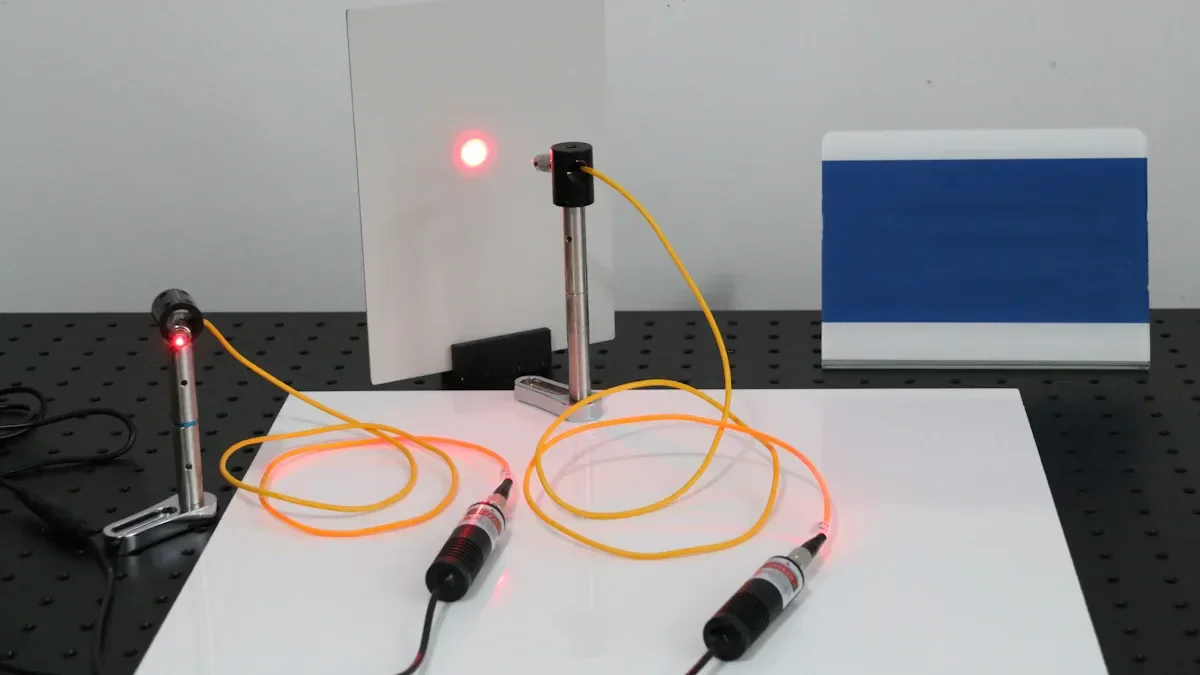

When you pick a single mode fiber laser for precision jobs, you need to make sure the laser fits your needs. Look at wavelength, output power, and beam quality. These things affect how the laser works with your materials. A laser with good stability and modulation gives accurate results. Always think about fiber type because it changes beam control and performance.
Key Takeaways
- Find out what material you have before picking a laser. Materials act in different ways when hit by laser energy.
- Think about how thick your material is. Thin materials need less power. Thick materials need more power to cut well.
- Decide what result you want. Knowing how exact and neat you need helps you pick the right laser.
- Pick the right power for your job. The right power makes edges smooth and results correct.
- Choose a wavelength that fits how your material absorbs light. This helps the laser work better and stops too much reflection.
- Get a laser with a low M² value for good beam quality. A lower value gives a tighter beam and finer details.
- Make sure the laser works with your current equipment. It is important for everything to work together easily.
- Check if the vendor has a good reputation and support. Pick a vendor with lots of experience and helpful service to avoid problems later.
- Application Needs for Single Mode Fiber Laser
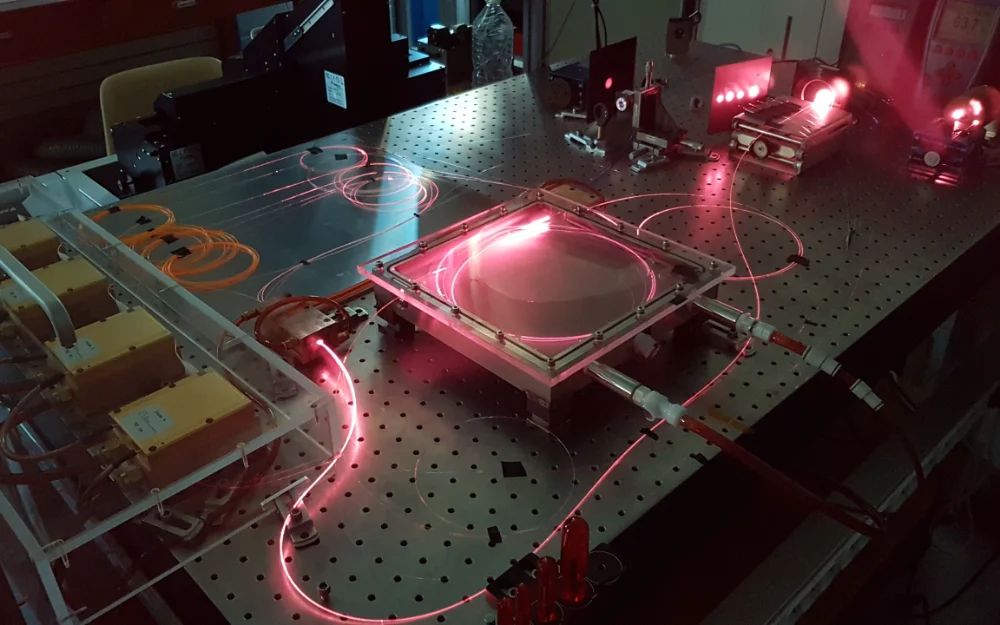
Precision Requirements
Material Type
First, you need to know what material you will use. Metals, plastics, and ceramics react differently to laser energy. Single mode fiber lasers have a small core, about 8 to 9 micrometers wide. This small core helps the beam stay strong and focused. You can get very precise results on thin metals and gentle surfaces. Multi-mode fiber lasers have bigger cores. They work better for thick materials but are not as precise. For most jobs that need precision, pick a single mode fiber laser for clean and accurate work.
Thickness
How thick the material is matters a lot. Thin things like foils or sheets need less power and can be processed faster. Use lower wattage lasers, like 1-2 kW, for materials that are 1-4 mm thick. This keeps the edges smooth and stops overheating. If the material is thick, you need more power, like 6-10 kW. More power helps cut faster and avoids unfinished cuts. You should also change the assist gas pressure to match the laser power. Thick materials need more energy, so balance the power and spot size for good results.
Desired Outcome
Think about what you want your project to look like when finished. The table below shows some common goals and how they affect your laser choice:
| Desired Outcome | Description |
|---|---|
| Level of Precision | How exact you need your project to be. |
| Quality of Cut or Mark | How smooth or neat the cut or mark should look. |
| Material Type and Thickness | What kind of material and how thick it is. |
If you want very nice marks or cuts, choose a laser with great beam quality and stability. For tiny details or fine engraving, you need a small spot size and low M² value.
Tip: Write down what you want your project to do before you look at laser models. This helps you pick the features that matter most.
Performance Parameters
Power
Power is very important for any laser job. More power means the laser works faster and can be more precise. If you double the power, your machine can do more and cost less per inch. But more power also makes the machine cost more to run, by about 20–30%. You need to pick the right power for your job. For small jobs, you usually need tens to hundreds of watts. Always make sure the power matches the beam quality so you do not waste money and get good results.
Wavelength (e.g., 1064nm for metals)
The wavelength you pick changes how the laser works with your material. Most metals use 1064nm because they absorb it well. Different materials take in laser energy at different speeds. Pick a wavelength that fits your material to get the best results and avoid too much reflection. This makes your work more efficient and keeps results steady.
Beam Quality (M2 < 1.2)
Beam quality uses the M² value to show how focused the laser is. A lower M² value means the beam is close to perfect. This lets you make a tiny spot and gives high energy in one place. You get better detail, faster melting, and less heat damage. For most precision jobs, look for an M² value under 1.2. This is very important for small cuts, fine work, and engraving.
Stability
Stability means your laser works the same every time. If the power or beam changes, your project can have mistakes. Pick a laser that stays stable, especially for tough jobs like EV battery welding or 3D printing. Good stability means less waste, better repeat results, and lower costs over time.
Common Precision Applications:
- Precision welding
- EV battery welding
- Precision cutting
- Surface preparation and texturing
- 3D printing and additive manufacturing
You need to know what your project needs and match those needs to the right laser. This helps you get the results you want, save money, and keep your work high quality.
Matching Laser Specs to Application
Power Selection
Application Power Needs
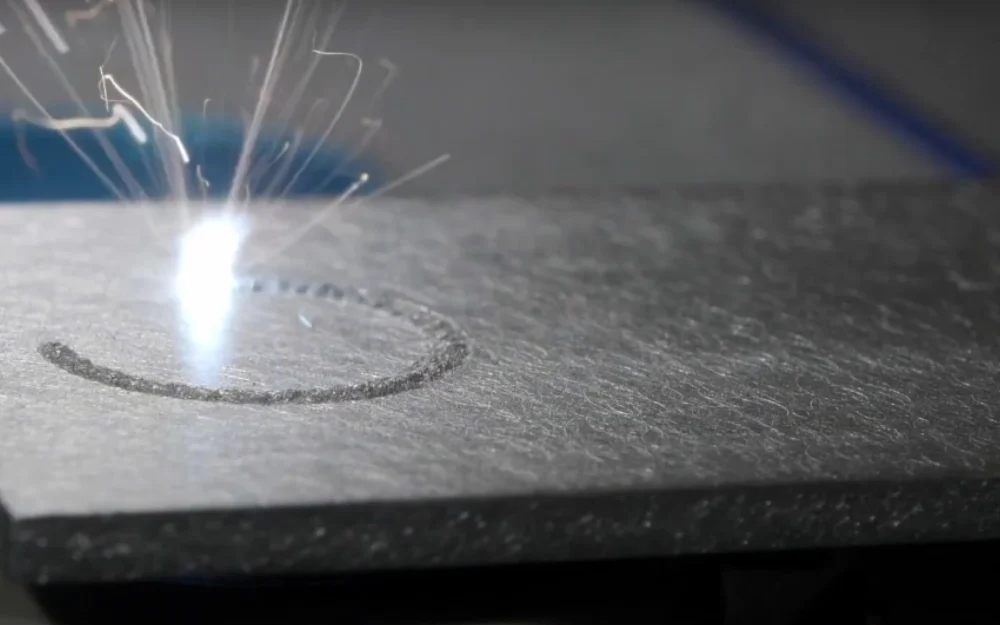
You need to pick the right power for your laser. If you use too little power, you cannot cut or mark well. Too much power can hurt your material and waste energy. Thin metals and gentle surfaces need less power, between 10 and 500 watts. Thicker materials or faster jobs need more power, sometimes several kilowatts. The right power helps you get smooth edges and accurate results.
Tip: Always check what power is best for your material before you buy a laser. This helps you avoid mistakes and keeps your work easy.
Cost per Watt
When you look at lasers, check the cost per watt. This shows how much you pay for each unit of power. A lower cost per watt saves money if you need lots of power. But do not just look at price. You should also think about beam quality, how long the laser lasts, and service. Sometimes, a laser that costs a bit more works better and lasts longer.
| Power (Watts) | Typical Use Case | Cost per Watt | Notes |
|---|---|---|---|
| 10-500 | Thin metals, marking | Low | Good for fine applications |
| 500-2000 | Medium thickness, cutting | Medium | Balance speed and quality |
| 2000+ | Thick materials, welding | High | Fast, but more expensive |
Wavelength Choice
Material Absorption
Pick a wavelength that matches how your material absorbs energy. Different materials take in laser energy at different rates. Metals absorb short wavelengths from fiber lasers very well. This helps you focus energy fast and makes cutting better. If you use the wrong wavelength, your results will not be good and you will waste power.
Common Wavelengths
Most single mode fiber lasers for precision jobs use near-infrared wavelengths. You will often see lasers with output wavelengths of 1064 nm or 1070 nm. These work well for metals and many other materials.
- Fiber lasers with ytterbium make light in the near-infrared range from 1030 to 1100 nanometers.
- Common output wavelengths for these lasers are 1064 nm and 1070 nm.
Beam Quality in Single Mode Fiber Laser
Spot Size (down to 20 microns)
Spot size is very important for precise work. You can get spot sizes around 25 microns with a 150 mm lens. Smaller spots let you put power in a tiny area. This makes energy stronger and speeds up the job. You can change spot size by moving the lens or changing the distance to the material. Smaller spots use power better and give nicer results.
“Spot size is key for good results. It affects accuracy and how well the laser cuts.”
- Smaller spots make cutting more accurate and detailed.
- Spot size depends on things like laser wavelength and lens length.
- You need to balance spot size and energy to keep cuts clean and fast.
Micro Machining and Marking
Single mode fiber lasers are great for micro machining and marking. You can use a small spot to make tiny features and marks. Moving a 25-micron spot quickly lets you heat bigger areas when needed. For micro jobs, small spots are very important. They help you get strong energy, which makes work faster and better.
- Single-mode lasers can make spots about 25 µm with a 150 mm lens.
- Moving the 25 µm spot fast helps spread heat well.
- For wider seams, move the spot quickly to get the weld width you want.
- Smaller spots make energy stronger and speed up work.
- They are needed for micro jobs that need tiny details.
- Spot size is very important in how the laser works with materials and is measured in µm.
- You can control spot size by changing the lens or the distance.
- Smaller spots help you use power better by focusing energy in a small area.
You should think about all these things when picking laser specs for your job. The right mix of power, wavelength, and beam quality helps you get the best results for precision work.
Reliability and Integration in Fiber Laser Systems
System Compatibility
Equipment Integration
You need to check if your single mode fiber laser works with your equipment. There are some important things to look at. The table below lists what you should check before you connect everything:
| Key Factor | Description |
|---|---|
| Core Diameter | A bigger core diameter can help connect better. |
| Divergence Angle | Matching the divergence angle or using a short lens helps. |
| Mode Field Mismatch | Lining up the laser diode and fiber is very important. |
| Optical Path Design | Tight rules in optical path design can make things hard to connect. |
If you skip these checks, you might have trouble with alignment and energy transfer. You should talk with your engineering team about these details before buying a new laser.
Control Interfaces
You also need to think about how the laser connects to your control systems. Some lasers use special software that can be tricky to learn. Make sure your team knows how to use the interface and that it fits with your automation setup. Common problems include high starting costs, hard-to-use software, and supply chain delays. Sometimes, fake machines show up in the market, so always check for quality and safety.
Tip: Ask sellers to show you how the control interface works before you buy. This helps you avoid problems when you set up your laser.
Reliability Factors
Lifetime
A single mode fiber laser lasts a long time. Most lasers work for 50,000 to 100,000 hours because of their solid-state design. You can count on steady performance for many years. This makes fiber lasers a good choice for precision manufacturing.
- Fiber lasers can last up to 100,000 hours.
- Solid-state design means less wear and tear.
Maintenance
Fiber lasers need less time and money for maintenance than other lasers. The table below shows how fiber lasers compare:
| Laser Type | Maintenance Requirements |
|---|---|
| Fiber Lasers | No regular maintenance needed |
| Q-switched Lasers | Needs regular maintenance |
| CO2 Lasers | Needs parts and regular maintenance |
Fiber lasers do not need much routine maintenance. This lets you spend more time making products and less time fixing things.
Support and Warranty
Top manufacturers give strong support and warranty services. Some companies offer a three-year warranty against defects and promise help after installation. You can also get longer warranties if you want extra protection. Good support helps you fix problems and keeps your laser working well.
Note: Always check the warranty and support options before you buy. Good support can save you time and money if something goes wrong.
You should look at system compatibility, easy integration, and reliability before picking a fiber laser. Think about maintenance and manufacturer support to make sure your laser works well for a long time.
Comparing Fiber Laser Systems and Vendors
Picking the right vendor for your single mode fiber laser system is important. You should choose a company that knows what you need and gives you good products. When you look at vendors, pay attention to some main things that help you make a smart choice.
Vendor Reputation
Certifications
Certifications mean a vendor follows important rules in the industry. You should find vendors with ISO certifications or other trusted marks. These show the company cares about quality and safety. They also prove the vendor wants their products to work well. If you work in medical or aerospace jobs, certifications matter even more.
| Certification Type | What It Means | Why It Matters |
|---|---|---|
| ISO 9001 | Quality management | Consistent results |
| CE Mark | European safety compliance | Legal use in Europe |
| FDA Approval | Medical device standards | Safe for medical use |
Industry Experience
A vendor with lots of experience can help you avoid mistakes. You want a company that has worked with many laser jobs. Experienced vendors know how to fix problems and give advice. They usually have better support and can help you with setup and training.
Tip: Ask vendors how long they have worked and what industries they help. This lets you see how much they know.
User Feedback
Case Studies
Case studies show real examples of how a vendor’s laser systems work. You can see how the laser works in places like medical labs, factories, or research centers. Case studies show what results you might get and help you decide if the vendor is right for you.
- Find case studies that match your job.
- See if the vendor has fixed problems like yours.
- Look at each project’s details for truth and reliability.
Real-World Results
Real-world results tell you how the laser system works outside the lab. You want to read feedback from people who use the laser every day. This feedback talks about things like reliability, how easy it is to use, and support. You can find reviews online or ask the vendor for customer references.
Key criteria to compare vendors:
- Technological innovation, like new wavelengths and power levels.
- Application range in different fields.
- Proven precision and accuracy in laser specifications.
- Strong customer support and service.
- Competitive pricing and cost-effectiveness.
- Regulatory compliance for your industry.
- Track record and references from past customers.
- Investment in research and development.
When you compare vendors, use these points to help you choose. You will find a laser system that fits your needs and gives you good results.
Common Mistakes in Fiber Laser Selection
Overlooking Application Needs
You need to match the laser to your job. Many people forget what their project needs. This can cause problems and cost more money. You might have slow results and waste materials. You can stop these issues by knowing your material, thickness, and what you want before picking a laser.
Price vs. Performance
It is easy to pick the cheapest laser. This often does not work well. Cheap lasers may not be precise or reliable. You should look at both price and how well the laser works. Make sure the laser fits your job. A better laser can save money by making fewer mistakes and less downtime.
| Factor | Low Price Laser | High Performance Laser |
|---|---|---|
| Initial Cost | Lower | Higher |
| Precision | Lower | Higher |
| Reliability | Lower | Higher |
| Long-Term Value | Poor | Strong |
Tip: Think about both cost and features before you buy.
Material Compatibility
Check if the laser works with your material. Some lasers are good for metals. Others work better with plastics or ceramics. If you do not check, you might get bad results or ruin your project. Look at the laser’s wavelength and power to see if it fits your material. Not knowing how single-mode fiber lasers work can waste time and money.
- Metals need lasers with certain wavelengths.
- Plastics and ceramics need different settings.
- Always check if the laser matches your material.
Ignoring Long-Term Costs
Some people only look at the price to buy. You should also think about running and fixing the laser later. Forgetting about setup and care can cause problems and cost more.
Maintenance Expenses
Plan for regular care of your laser. Some lasers need more attention than others. If you skip maintenance, you might have surprise repairs and delays. Costs can go up fast if your laser needs lots of service.
Note: Ask sellers about how often you need maintenance and what it costs.
After-Sales Service
Help after buying is very important. Check if the seller gives training, help, and a warranty. Good support helps you fix problems quickly and keeps your laser working. Bad support can mean longer delays and more costs.
- Pick sellers with good customer service.
- Ask about how long the warranty lasts.
- Make sure you can get help when you need it.
If you avoid these mistakes, you will get a laser that works well, fits your needs, and saves money over time.
Selection Checklist for Single Mode Fiber Laser
Picking the right single mode fiber laser takes careful steps. You can use this checklist to help you make a smart choice and avoid mistakes.
Decision Steps
Review Needs
First, write down what your project needs. Think about the material you will use. Check how thick it is. Decide how much detail you want. Write your goals for accuracy, speed, and how you want it to look. This helps you know what is most important for your job.
- What material are you using?
- How thick is your material?
- What do you want to do (cut, mark, weld)?
- How exact do you need your work?
Tip: Keep your list where you can see it. This helps you compare lasers and stay on track.
Compare Specs
Next, look at the details of each laser. Check the power, wavelength, beam quality, and stability. Make sure the laser can give you the spot size and energy you need. Use a table to keep your notes organized.
| Feature | Your Need | Laser 1 | Laser 2 |
|---|---|---|---|
| Power (W) | |||
| Wavelength | |||
| Beam Quality | |||
| Spot Size (µm) | |||
| Stability |
Fill in the table with your answers. This makes it easy to see which laser is best for you.
Assess Support
Check what help and warranty each company gives. Ask if they offer training, technical help, and how long the warranty lasts. Good support means you can fix problems fast and keep your laser working.
- Does the company teach you how to use the laser?
- How long does the warranty last?
- Can you get help when you need it?
Note: Good support saves you time and money while you use your laser.
Confirm Integration
Make sure the laser works with your other machines. Check if it fits with your software and hardware. Ask about how to install it and if you need anything special. Good integration makes setup easy and stops delays.
- Does the laser fit with your equipment?
- Will it work with your control systems?
- Is it easy to install and set up?
Callout: Always check integration before you buy. This helps you avoid problems when you set up your laser.
If you follow these steps, you can pick a single mode fiber laser that fits your job. You will get better results and save money by avoiding mistakes.
You get the best results by using a clear process. First, look at the optical parts to check for problems. This helps your laser stay precise every time. Use special tools to measure power and beam quality. These tools help you know your laser is working well. Try easy tests to find alignment issues. This keeps your work accurate. Pick laser features that match what you need for precision. Talk to experts if you have questions. Spend time learning and ask vendors for help before you buy a laser for precision jobs.
FAQ
What is the main advantage of fiber laser systems for marking?
Fiber laser systems give you great results every time. They make marks that look sharp and clear. These machines work fast and do not need much fixing. You can use them to mark tiny details on metals, plastics, and ceramics.
How does beam quality affect the laser marking process?
Beam quality decides how neat your marks look. If the beam is better, you can make smaller spots. This helps your marks look sharper and more detailed. Always check beam quality before you pick a fiber laser marking machine.
Can a fiber laser marking machine handle both marking and cutting tasks?
You can use a fiber laser marking machine to mark and cut thin things. It makes clean cuts and marks with good quality. If you want to cut thick stuff, you need a stronger laser system.
What materials work best with fiber laser technology?
Fiber laser technology works well with metals, plastics, and ceramics. You can mark and cut stainless steel, aluminum, and copper. These lasers also work on coated materials and some polymers.
How do I choose the right laser power range for my application?
Pick a laser power range that matches your material and what you want to do. Thin metals need less power for marking and cutting. Thick materials need more power. Always check the laser’s specs to get the best results.
What is mark resolution and why does it matter?
Mark resolution tells you how detailed your marks can be. Higher mark resolution means your marks are sharper and easier to read. You need good mark resolution for things like serial numbers and logos. Fiber laser marking machines with high beam quality make marks look great.
How do fiber laser systems improve cutting quality?
Fiber laser systems use strong beam quality to focus energy in a small spot. This gives you smooth edges and nice cuts. You can cut thin metals and gentle materials very well. Always check if your laser marking system can cut the way you want.
What maintenance do fiber laser systems require?
Fiber laser systems do not need much fixing. They last a long time because of their solid-state design. You should clean the optics and check alignment often. Good care keeps your marks and cuts looking good.
Tip: Always follow the manufacturer’s rules for taking care of your fiber laser marking machine.