500W Luggage Intelligent Laser Obstacle Removal Device
Get Instant QuoteProduct Details
Product Introduction
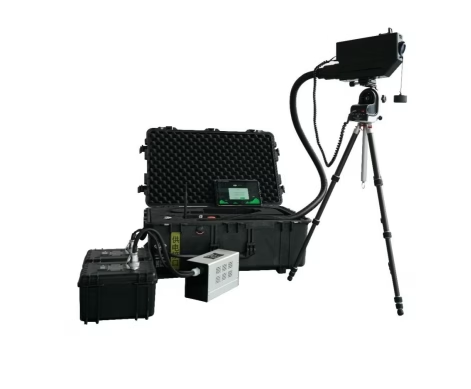
The Laser Obstacle Removal Device is an advanced solution designed for efficiently removing obstacles such as wires, branches, or other obstructions that hinder operations in power lines, railway systems, and infrastructure maintenance. Utilizing high-power laser technology, this device enables precise, contactless cutting, significantly improving operational efficiency and safety.
- This product utilizes long-distance laser focusing technology, enabling remote, contactless operation.
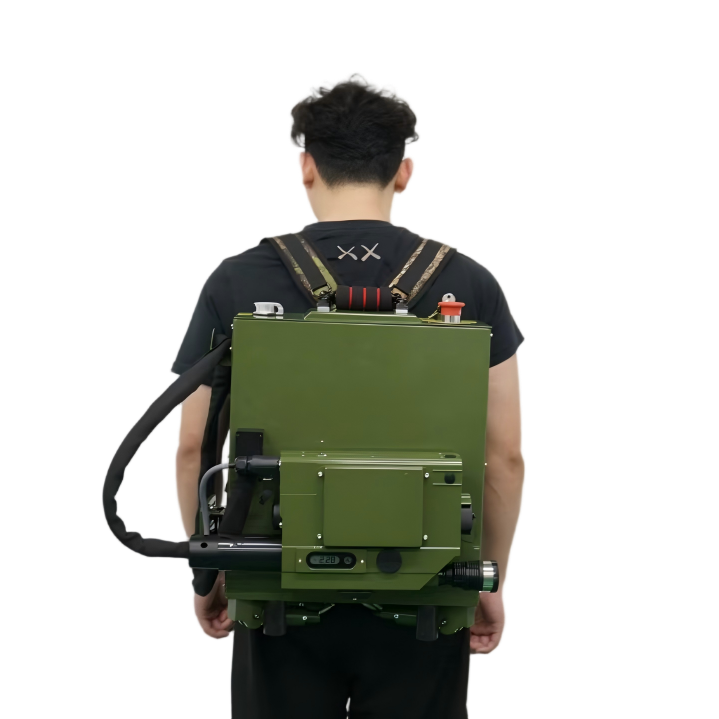
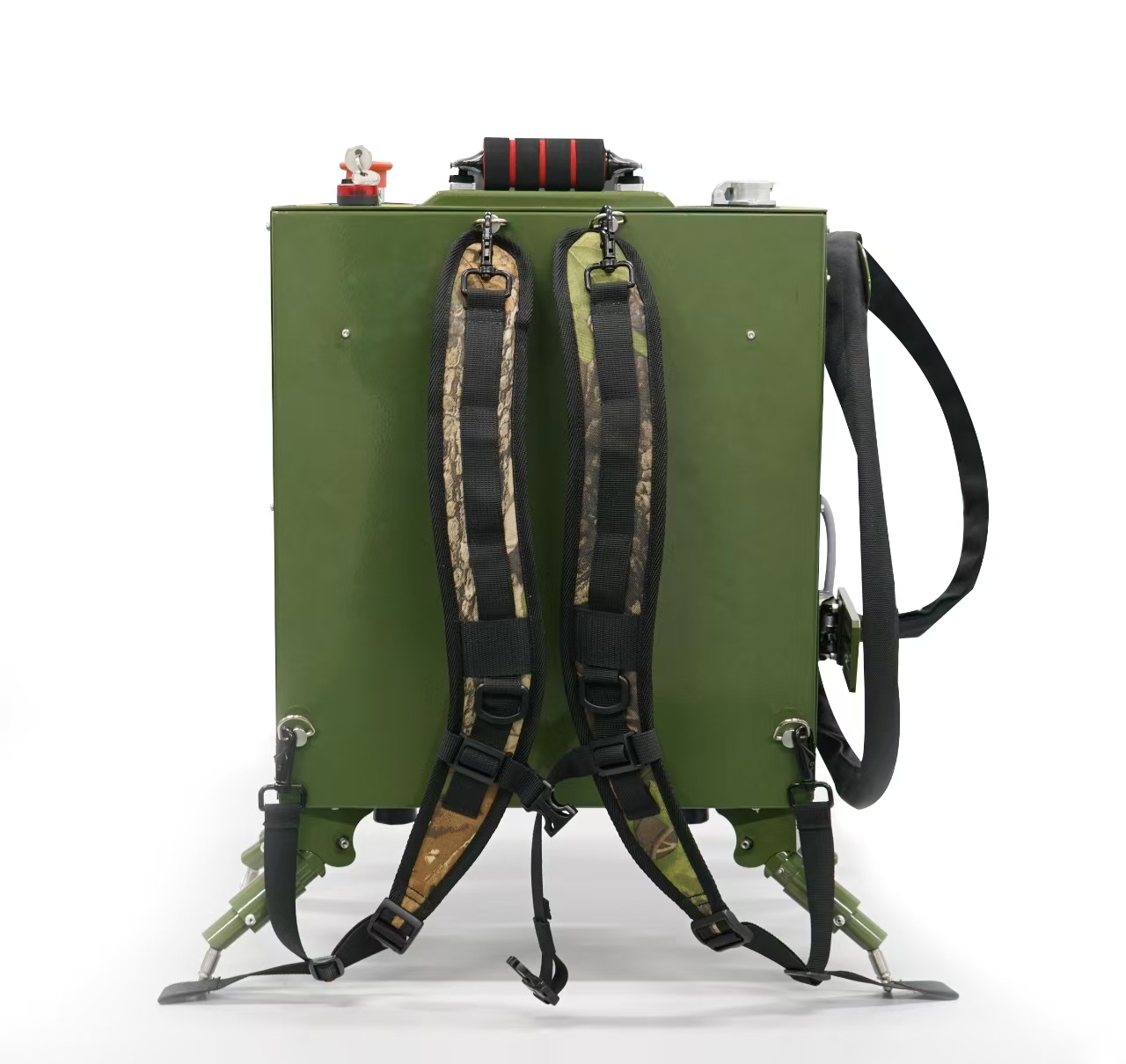
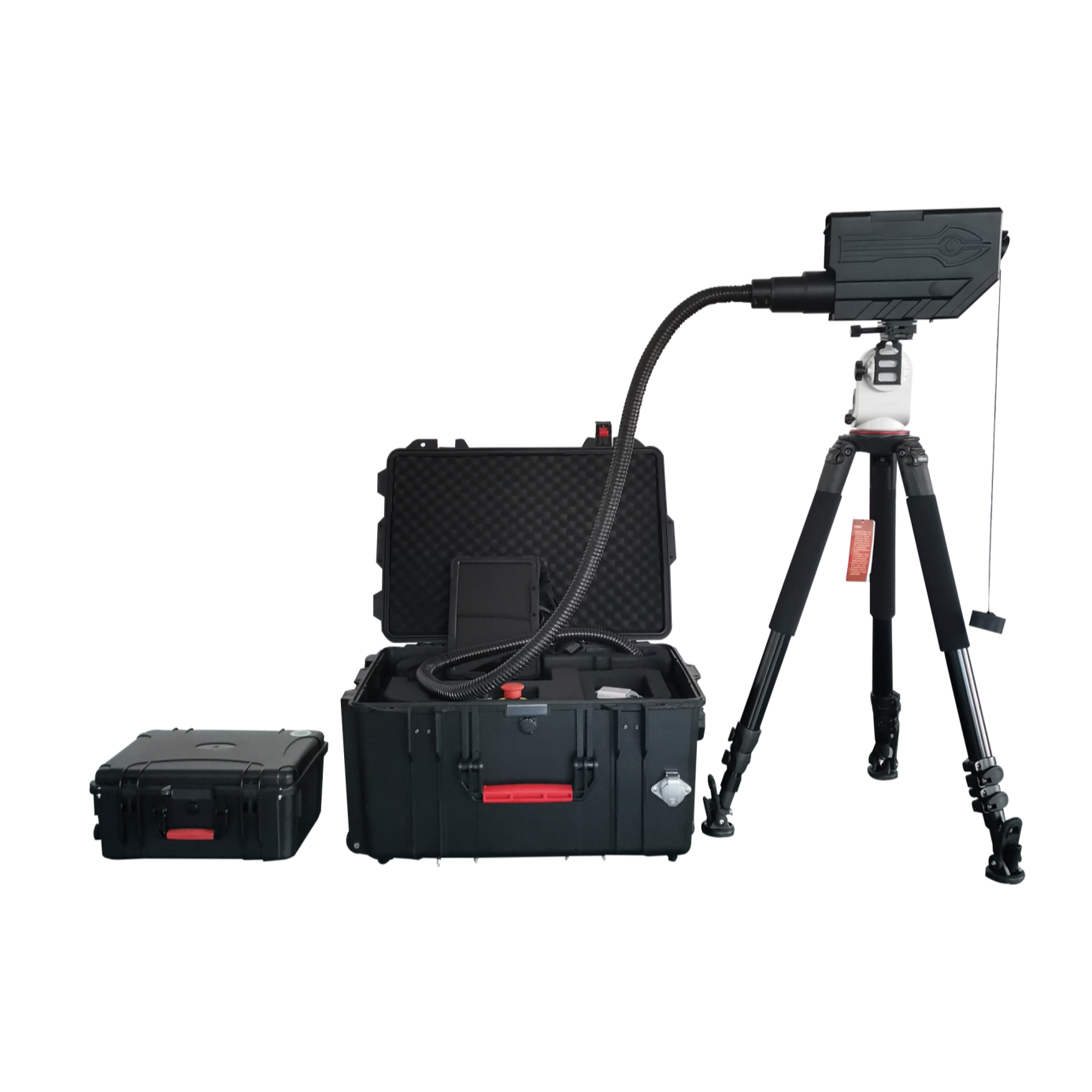
- Designed for portability, it supports mobile power operation and features a trolley case/cabinet-style design, making it easy to carry for outdoor use.
- Equipped with visual coaxial or side-axis aiming, along with a high-precision motorized gimbal, ensuring rapid and accurate targeting.
- Features an independently designed operating system, customizable with the customer’s logo and offering a wide range of operational functions.
Product Features
- Adjustable Power Output:Available in various power levels to meet different operational needs.
- Long-Distance Operation:Capable of removing obstacles from a safe distance using remote control.
- Portable & Lightweight Design:Easy to carry and deploy in field operations.
- Weather-Resistant:Works efficiently under various environmental conditions.
- Intelligent Targeting System:Equipped with a high-precision aiming system for accurate obstacle removal.
Advantages
- Non-Contact Cutting – Uses high-energy laser beams to remove obstacles without physical contact, ensuring safety and efficiency.
- High Precision – Delivers pinpoint accuracy, minimizing damage to surrounding structures.
- Fast & Efficient – Provides instant obstacle removal, reducing downtime and improving work efficiency.
- Enhanced Safety – Eliminates the need for manual intervention, lowering the risk for personnel working at heights or in hazardous environments.
- Wide Applicability – Suitable for power grid maintenance, railway safety, forestry management, and emergency response.
- Environmentally Friendly – No need for chemicals or heavy machinery, making it an eco-friendly solution.
Specification
| Product Model | 350W | 500W | 1000W | 1500W |
| Output power | 0-360W continuously adjustable | 0-510W continuously adjustable | 0-1020W continuously adjustable | 0-1500W continuously adjustable |
| Main chassis unit weight | ≤33KG | ≤35KG | ≤50KG | ≤55KG |
| Protection class | IP65 | |||
| Power Requirements | DC48V 1500W | DC48V 2000W | DC48V 5000W | DC48V 6000W |
| Aiming Style | Coaxial vision | Coaxial vision | Paraxial/coaxial vision | Paraxial/coaxial vision |
| Camera Resolution | 2K | |||
| Camera Magnification | 30x + 10x | |||
| Security measures | Emergency Stop + Body Sensor + Tipping Protection + Remote Authorization + Face Recognition Fingerprint Unlocking | |||
| Distance of action | 1-350 m | 1-500 m | 1-500 m | 1-800 m |
| Temperature | -20℃-50℃ | |||
| Humidity. | >90% | |||
| Battery weight | 9KG/set ,can continuously produce light for 1.5hours | 9KG/set ,can continuously produce light for 1hours | 33KG/set, can be continuous light 1.5hours | 45KG/set, can be continuous light 1.5hours |
Application
1) Power Line Maintenance
2) Railway Safety & Maintenance
3) Forestry & Environmental Management
4) Emergency Response & Disaster Recovery
5) Defense & Security Applications
6) Construction & Infrastructure Maintenance
Application samples

Cutting tree Foreign object Detonate Defrost
Product Details
Description of the ordinary function interface

- uArea 1 : The menu bar on the screen can take photos and video. Set laser power. Set manualgimbal speed . Open / close foreign object alarm function. Open / close dumping alarm function . Operation description function and exit software function.
- uArea 2 : Click to switch between ordinary functions / advanced functions. Area 3 : the current state of the device.
- uArea 4 : Current time . Current GPS location information. Please note that it can only be read in the open area. The current step status of the motor.
- uArea 5 : Camera control button : focal length / zoom. Pay attention to put to the maximum for each light. If there is any blurriness, please manually focus.
- uArea 6 : when aiming at the target, the upper left corner can get the correct distance of the distance. Click on automatic zoom adjustment. Waiting for 2-3s. The laser reaches the best focus of the current position. Equipment can normally light. If the target is not measured, users can manually enter the distance value.
- uArea 7 : Quick manual adjustment of motor steps. The default is 20 steps once.
- uArea 8 : Click to open the laser. This function requires a second confirmation to prevent accidental touch.
- uArea 9 : Up and down ,left and right to control gimbal aiming target and gimbal speed display.
- uArea 10 : Laser emission center position.
Description of the advanced function interface

- Advanced Function 1: Automatic Cutting, click on the function as shown below, you can carry out the automatic cutting of horizontal and vertical lines, set the starting point and end point of the straight line, set the automatic speed, click on the automatic cutting that is to start, and then click once to cancel.
- Advanced Function 2: Focusing Function, as shown below, you can adjust the number of manual focusing steps 10/20/30/40/50/60/70/80/90/100, you can manually ± focus individually, auto focusing is based on the range value to focus, click on the alarm clear to clear part of the motor alarm status.
- Advanced Function 3: Alignment Adjustment, as shown in the figure below, after clicking the alignment movement, you can manually move the alignment, after moving in place, you can click the alignment to confirm that the alignment stops moving. The red light switch can turn on the laser red light to assist alignment when adjusting the center of gravity.
- Advanced Function 4: Mode Setting, divided into three cases one is user mode/shared mode/administrator mode.
- Advanced Function 5: Day and Night, is to switch the camera to day mode/black mode.
- Advanced Function 6: Language Switching, currently the software supports 5 languages, Chinese/English/Russian/Korean/Japan